Rimuovi lo sfondo
Carica immagine
Modello
Rimuovi lo sfondo
Rimozione automatica dello sfondo con IA per prodotti, persone, animali e grafica: veloce e precisa.
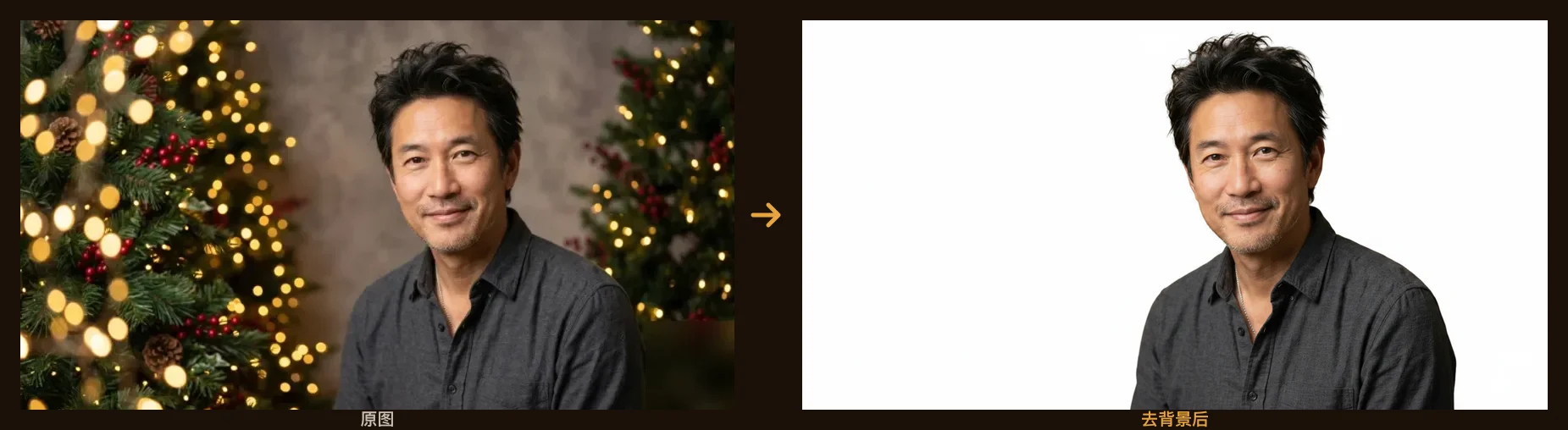
Esempio: rimuovi uno sfondo affollato con un clic. Carica la tua immagine per iniziare.
Come rimuovere lo sfondo da un'immagine
- 1
Carica la tua foto: JPG, PNG o WebP, fino a pochi megabyte. Funziona con persone, prodotti, animali e grafica.
- 2
L'IA rileva il soggetto e lo ritaglia, mantenendo bordi netti su capelli, pelo e dettagli sottili.
- 3
Visualizza l'anteprima e scarica: il soggetto finisce su uno sfondo bianco pulito, pronto per il passo successivo.
A cosa serve la rimozione dello sfondo
Foto prodotto per e-commerce
Metti ogni prodotto su uno sfondo pulito e uniforme per le schede Amazon, Shopify ed Etsy.
Foto profilo e ritratti
Isola una persona per LinkedIn, curriculum, pagine del team o una foto tessera su sfondo tinta unita.
Grafiche marketing e social
Inserisci il soggetto ritagliato in miniature, annunci, banner e poster senza bordi sporchi.
Design e stampa
Componi i soggetti in nuove scene, collage e layout con ritagli puliti e modificabili.
Domande frequenti
La rimozione dello sfondo è gratuita?
Sì. I nuovi account ricevono 20 crediti gratuiti all'iscrizione più 10 ogni giorno, così puoi rimuovere lo sfondo gratis ogni giorno. I crediti a pagamento sbloccano risultati senza filigrana, utilizzabili commercialmente e a risoluzione maggiore.
Quali formati di immagine posso caricare?
Sono supportati JPG, PNG e WebP. Carica una foto nitida del soggetto e l'IA fa il resto: niente selezioni o maschere manuali.
Gestisce capelli e dettagli sottili?
Sì. Il modello è ottimizzato per mantenere bordi netti e naturali su capelli, pelo e dettagli sottili, proprio dove lazo e bacchetta magica tradizionali faticano.
Posso usare i risultati a scopo commerciale?
I risultati con crediti a pagamento sono senza filigrana e includono i diritti d'uso commerciale. Quelli del piano gratuito hanno una piccola filigrana, per prova e uso personale.
In cosa è diverso dal rimuovere lo sfondo a mano?
Farlo a mano in Photoshop può richiedere minuti per immagine e serve esperienza con capelli e bordi. Qui basta un clic, i bordi restano puliti in automatico e scala su quante immagini vuoi.
Posso mettere il soggetto su uno sfondo trasparente o colorato?
Per impostazione predefinita lo strumento mette il soggetto su uno sfondo pulito a tinta unita. Per un altro sfondo o un cambio scena completo, apri il risultato nell'editor Shotari e descrivi lo sfondo che vuoi.
Esiste un sito gratuito per togliere lo sfondo online?
Questa pagina lo è: nessuna installazione e nessuna registrazione per provare. Carica l'immagine, fai un clic e scarica il ritaglio. I crediti gratuiti giornalieri bastano per l'uso normale; quelli a pagamento tolgono la filigrana e aumentano la risoluzione.