Uncrop
Upload image
Upload a JPG, PNG or WEBP image, then choose the target ratio to expand to.
Target ratio
Output size
Model
Expand & uncrop images with AI
Automatic, fast AI image expansion (outpainting) — extend your photo beyond its borders.
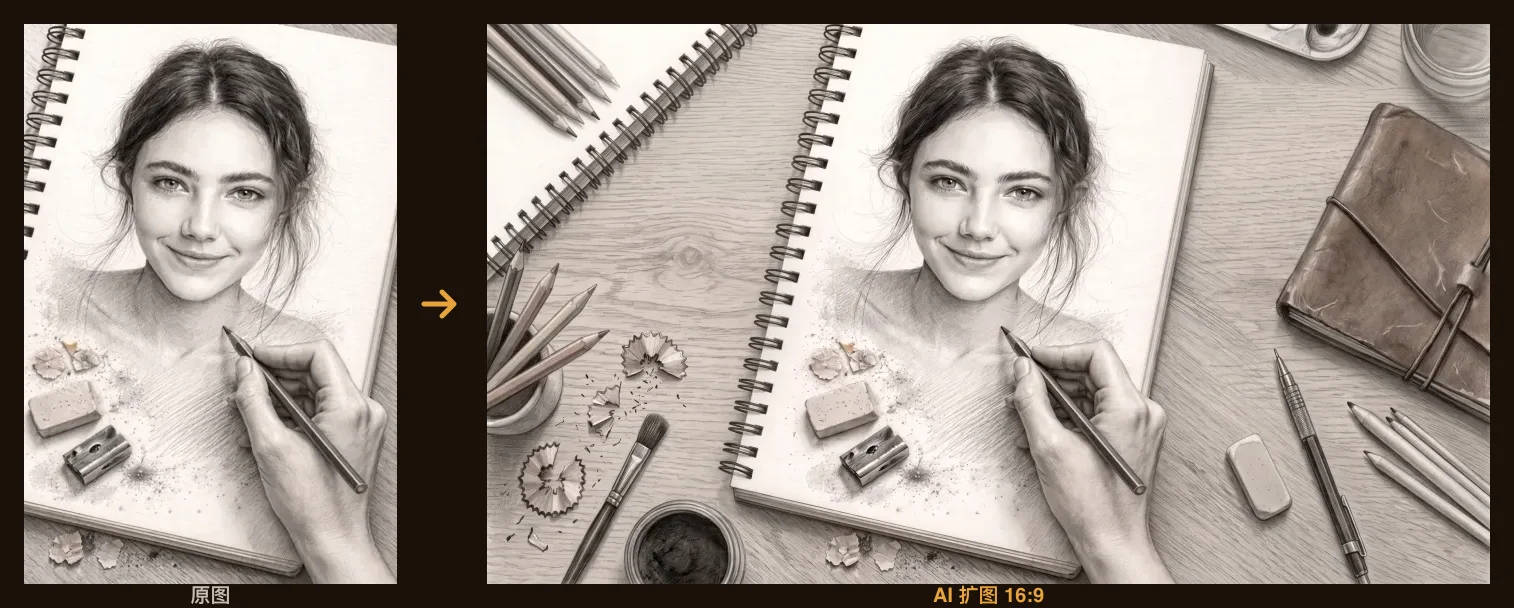 AI expanding…
Example: a portrait expanded to a 16:9 frame. Upload your image to start.
How to uncrop an image with AI
- 1
Upload the image you want to extend — portrait, square, or anything cropped too tight.
- 2
The AI reads the lighting, texture, and perspective at the edges and paints outward with a seamless continuation.
- 3
Download the expanded result; re-run any time — each outpaint varies slightly, so keep the best one.
What people use uncrop for
Portrait to widescreen
Turn a 9:16 phone shot into a 16:9 cover — YouTube banners and website headers without a reshoot.
Rescue tight crops
Chopped-off headroom and cramped framing get breathing room painted back in.
Fit ad formats
Extend one asset into feed, banner, and splash ratios instead of rebuilding per size.
Print & framing
When print ratios don't match the shot, extend the background instead of cropping into the subject.
What 'free' actually covers
Uncrop as a guest, no account
Free — 2 per day per network
Uncrop signed in (Shotari Basic)
0 credits, 20 per day
Download the result
Needs a free account; the file carries a shotari.com watermark
Original-resolution file, no watermark
Needs paid credits (a pack or a subscription)
Premium models (GPT Image 2, Nano Banana Pro…)
3–11 credits per image, purchased credits only
16:9 and 9:16 carry a 1.1× multiplier that rounds up — one extra credit on every premium model. Shotari Basic and Pro are billed on a separate path and never pay it.
Frequently asked questions
Is the AI uncrop tool free?
Yes. Uncropping runs on Shotari Basic, which is priced at 0 credits — signed in, there is no per-image charge, and free accounts get 20 generations a day. Every other model in the dropdown, Shotari Pro included, is billed per image and needs purchased credits; the 20 signup and 10 daily check-in credits cannot pay for them.
Can I uncrop an image free without signing up?
Yes — 2 per day per network, and the result appears in the browser. Downloading the file needs a free account; signing up also removes the daily cap on Shotari Basic.
Will the extended areas look natural?
The AI continues the lighting, texture, and perspective from the edges, and most scenes blend seamlessly. Dense text or regular patterns are the hard cases — re-run a few times and keep the best.
Does it change the original part of my photo?
Outpainting aims to add new area outward while preserving the original frame. Zoom-check your subject before downloading to be sure.
Can I extend to any aspect ratio?
Describe the target framing (e.g. "extend to a 16:9 widescreen") and the AI fills in that direction. For extreme ratios, extend in two passes.
What images work best?
Photos whose edges contain continuable background — sky, walls, grass, bokeh — extend most reliably. JPG, PNG, and WebP are supported.
Can I use uncropped images commercially?
Downloads on the free tier carry a small shotari.com watermark and are meant for personal use. Paid credits — a pack or a subscription — unlock the original-resolution, watermark-free file with full commercial rights.
Want to know how AI uncrop actually works? Read the full uncrop image AI guide →