
Restore Old Photos Online with AI
Upload damaged, faded, or aged photos. Describe what needs fixing. The AI handles the restoration.
Drop an image here or click to browse
JPEG, PNG or WEBP, up to 24MB
Enter a description above to start
Restored photo will appear here.
Before and after examples
Small repairs, preserved memory
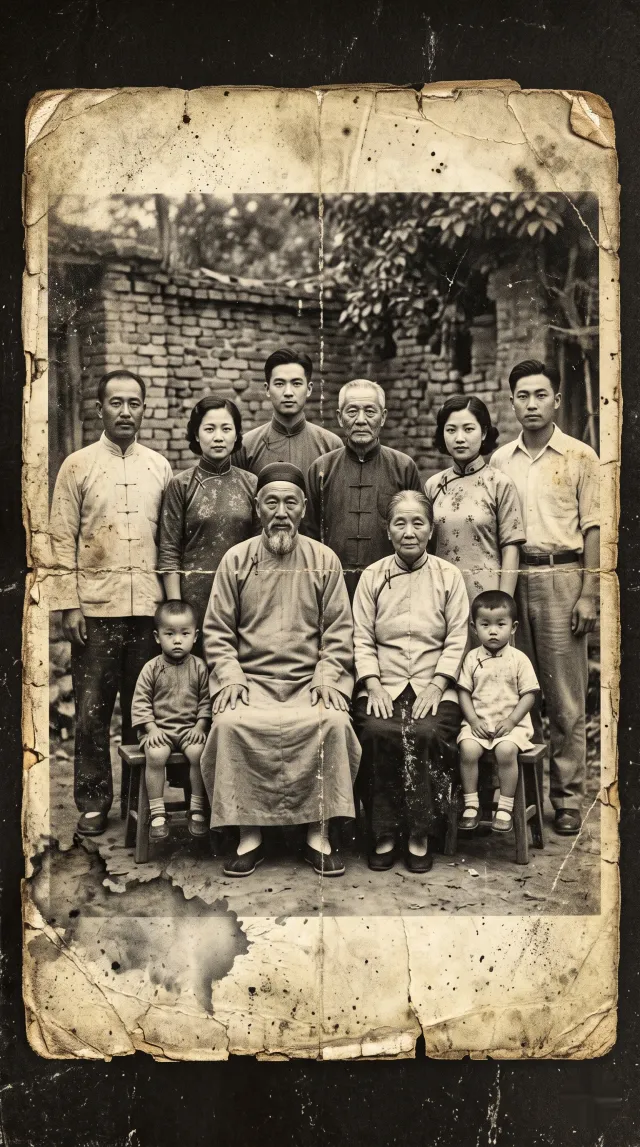 BEFORE
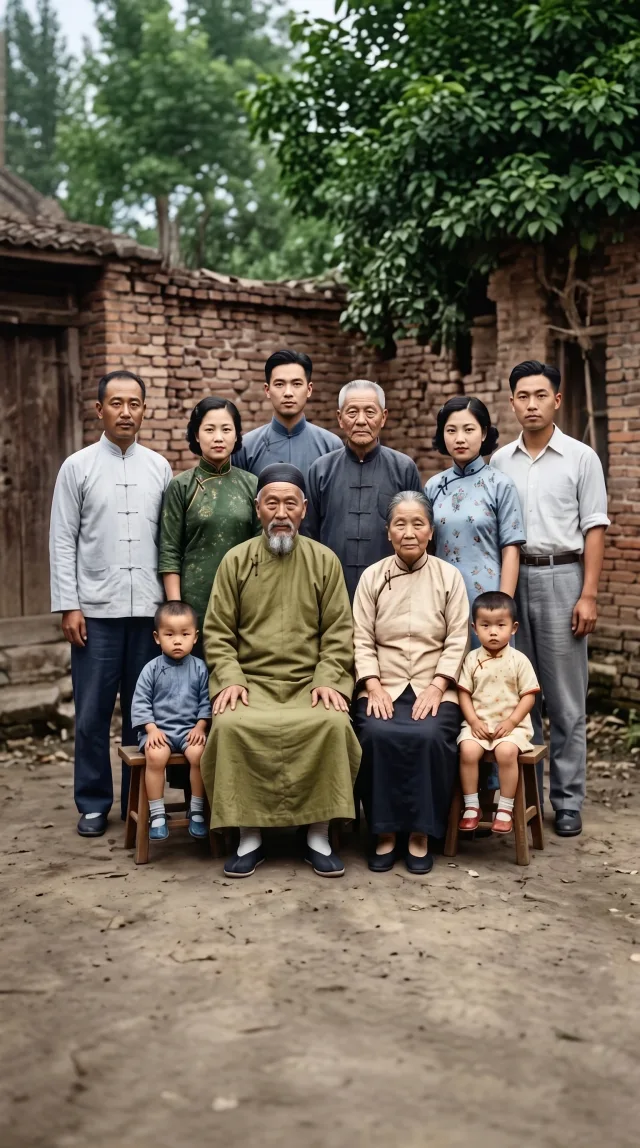 AFTER
AFTERRepair visible damage
Restore old photos by cleaning up scratches, dust, stains, creases, and surface marks while keeping the original photo feel.
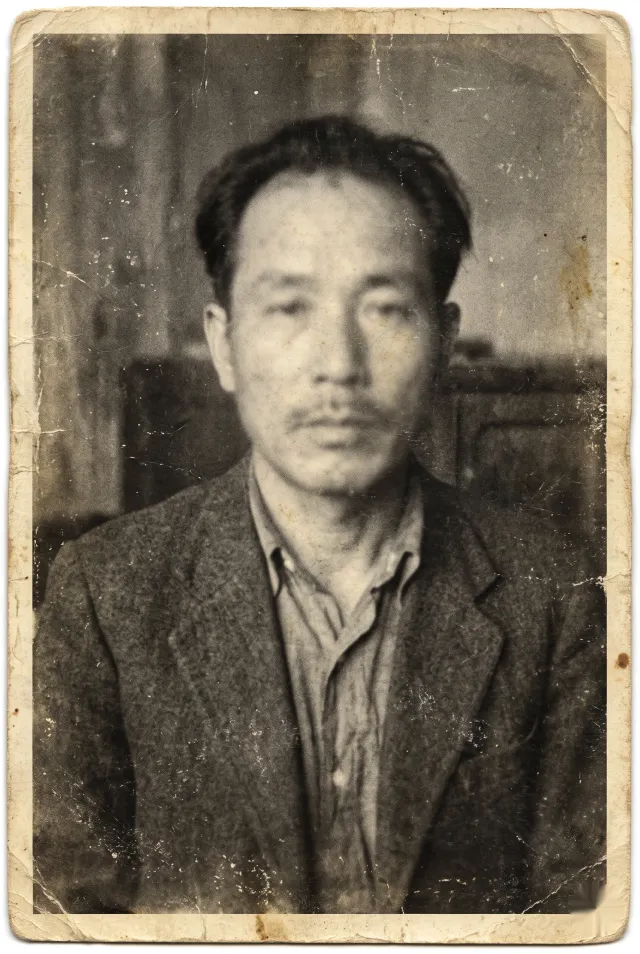 BEFORE
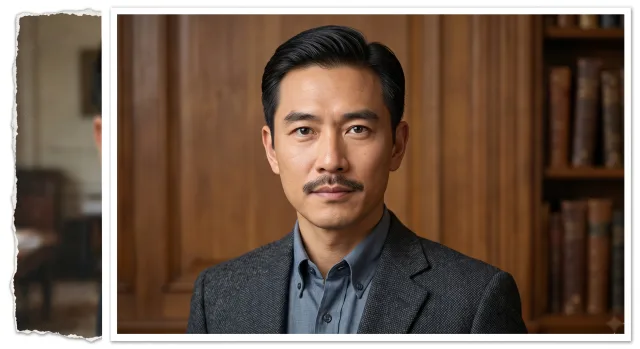 AFTER
AFTERImprove old portraits
Sharpen soft focus, lift contrast, and bring back facial detail in faded portrait photos from the past.
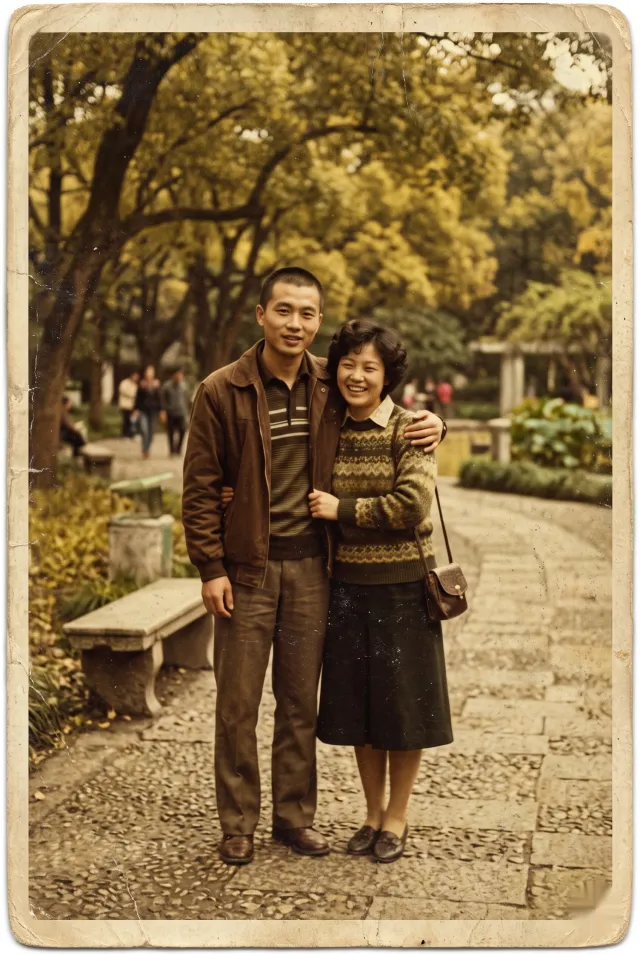 BEFORE
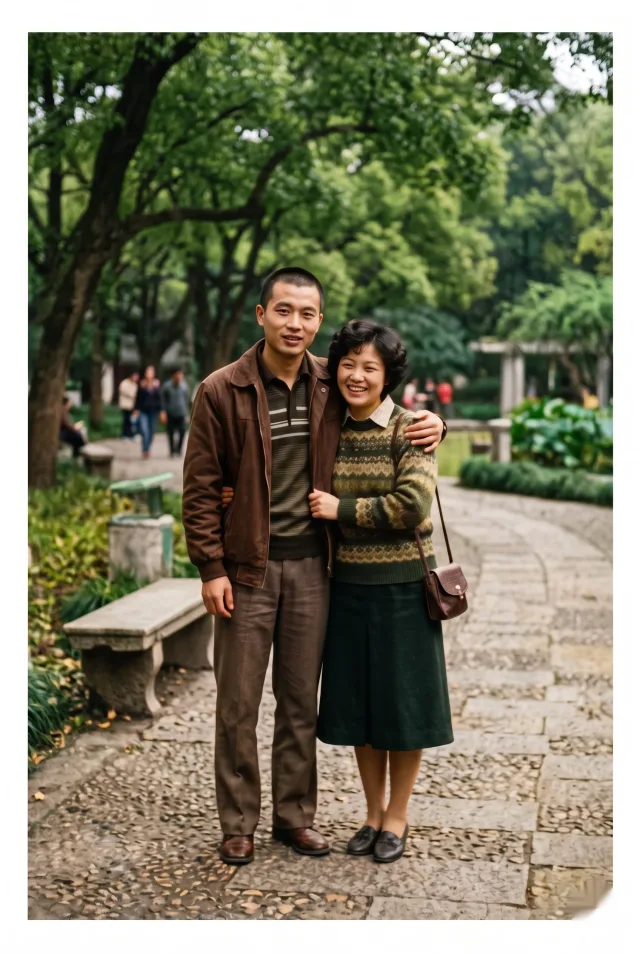 AFTER
AFTERRestore faded color
Recover the original warmth and saturation in old photos where color has shifted, dulled, or turned to sepia.
Why use this tool to restore old photos
Built for clear restoration intent
The editor starts with a restoration prompt, so you can restore old photos by focusing on what needs fixing instead of setting up tools. Describe the damage, the AI handles the work.
Useful for family photos and archives
Works on consumer photo scans, prints, negatives and digital captures. Useful for personal archives, genealogy projects, and preserving visual family history.
Fast enough for trying versions
Run multiple restoration versions and compare results. Fast iteration means you don't have to commit to the first output when you restore old photos.
How to restore old photos
STEP 01
Upload your old photo
Add a JPG, PNG, or WebP scan or phone capture. A clearer source image usually gives the AI more detail when you restore old photos.
STEP 02
Describe the restoration
Tell the AI what needs fixing. Use plain language: 'remove scratches and stains, sharpen the face, restore color.' More specific prompts help when you restore old photos.
STEP 03
Generate and download
Click Restore Photo, wait for the AI to process, and download the restored result. Try different prompts to get the best version.
Restoration prompt ideas
Start with repair language, then add only the details you want preserved.
Restore old photos FAQ
Can AI restore old photos with scratches?
Yes. Upload the photo and describe the scratches, dust, tears, or stains you want repaired. Results depend on the quality of the original scan and the clarity of your description.
Can I colorize black-and-white photos?
Yes. Include colorization in your prompt and the AI will add natural color. You can guide the colors by describing the scene, clothing, or skin tones you want.
Will restoration change faces?
The AI focuses on the described repairs without altering facial structure. Prompts that say 'preserve face details' help keep the likeness intact during damage removal.
What photo formats are supported?
JPG, PNG, and WebP. These cover prints, scans, and phone captures. For best results, use the highest quality source you have.
Can I restore old photos online for free?
Yes. Old photo restoration runs on free daily credits — upload the scan and the AI repairs scratches, fading, and blur. Paid credits unlock watermark-free downloads and higher resolution.
Want to see what AI photo restoration can actually do? Read our restoration guide with before/after examples →