
Model
Room Redesign
Upload a reference photo and click Generate. You can generate free without an account — signing up unlocks downloads.
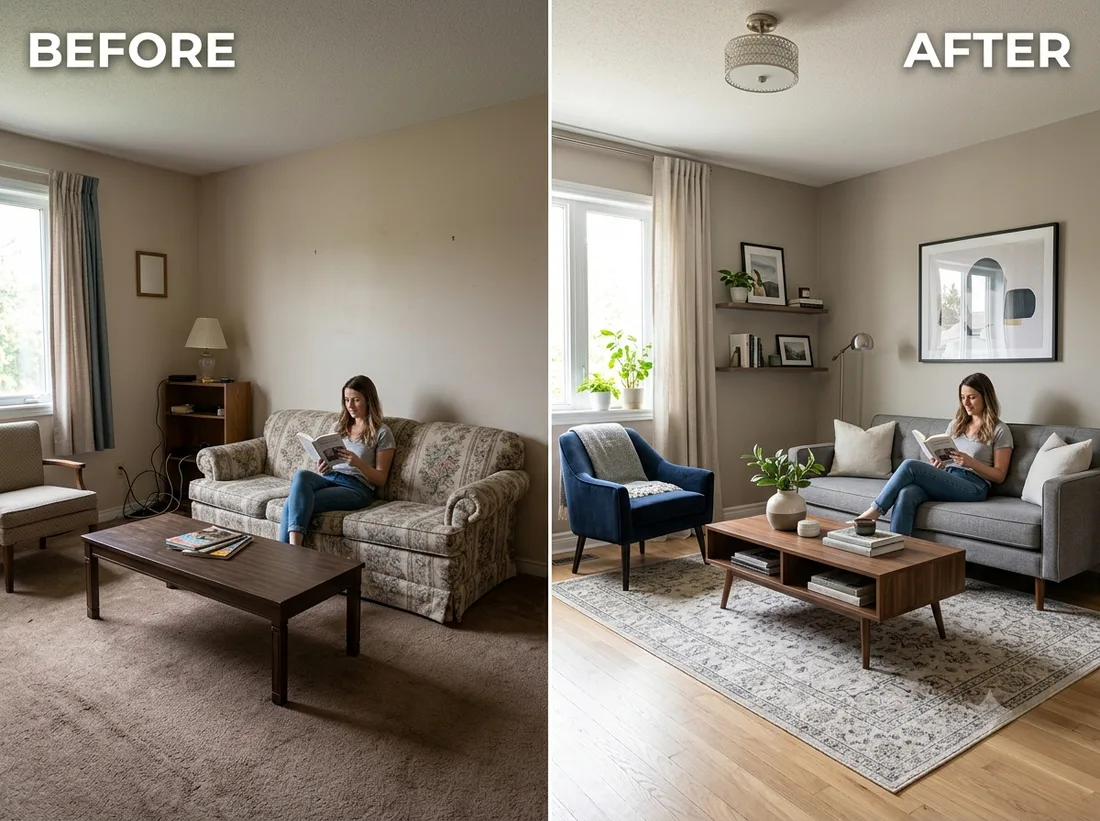
Example: before → after. Upload your image to start.
How to use the Room Redesign template
- 1
A wide shot from a corner showing the floor and two walls. The more of the room's geometry is visible, the more the model has to preserve and build on.
- 2
Click Generate — the AI re-renders your photo using the template prompt shown below. It runs without an account, on Shotari Basic.
- 3
The result appears right here. Re-run any time — each generation differs slightly. Downloading needs an account.
What this template does
Restages the room with new furniture and decor while keeping the architecture — walls, windows, doors and proportions stay where they are. It answers 'what could this room look like', not 'what would a different room look like'.
Template prompt
Redecorate and restage this room with a beautiful modern interior design — new furniture and decor — while keeping the room's layout and architecture.
Frequently asked questions
Will it move my walls or windows?
It is instructed not to — layout and architecture are explicitly held. In practice, awkward angles and heavy clutter make it harder for the model to read the geometry, and that is when things drift. A cleaner, straighter shot gives a more faithful restage.
Can I ask for a specific style?
Not from the template — it asks for 'beautiful modern interior design' and the model decides the rest, so runs vary a lot. For Japandi, mid-century or any named style, write it yourself in the editor.
Is this template free to use?
You can generate twice a day with no account at all. A free account adds 20 credits at signup plus 10 more daily. Downloading requires an account, and paid credits are what give you watermark-free output with full commercial rights; free-tier use is personal-use only.
Which model runs it, and what does it cost?
Shotari Basic by default, which costs 0 credits. You can switch to a premium model — Shotari Pro (2 credits), Seedream 5 Lite (3), GPT Image 2 (5), Nano Banana Pro (10) and others — but those bill paid credits, so they need a signed-in account with a paid balance. Without an account the job always runs on Shotari Basic and the page says so.