Model
Ghibli Style
Upload a reference photo and click Generate. You can generate free without an account — signing up unlocks downloads.

Example: before → after. Upload your image to start.
How to use the Ghibli Style template
- 1
Photos with soft natural light — outdoors, or indoors near a window. The style leans heavily on gentle ambient light, and hard flash fights it.
- 2
Click Generate — the AI re-renders your photo using the template prompt shown below. It runs without an account, on Shotari Basic.
- 3
The result appears right here. Re-run any time — each generation differs slightly. Downloading needs an account.
What this template does
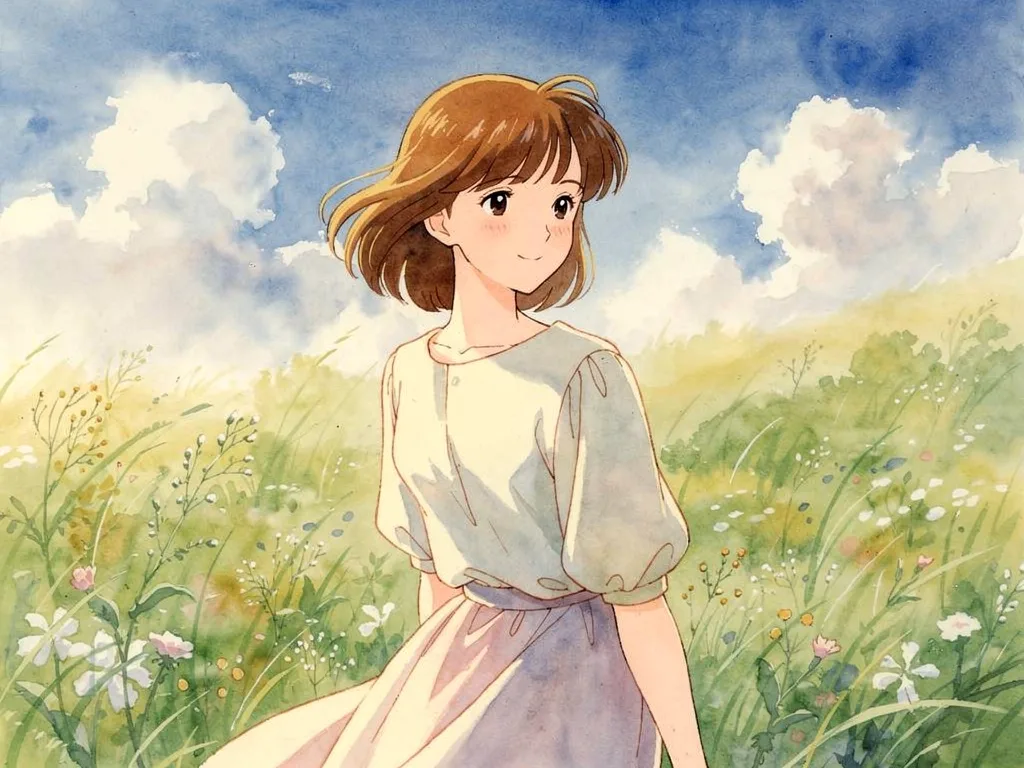
Repaints the photo as a hand-painted Japanese animation frame: soft watercolour backgrounds, gentle warm light, anime-style features and a nostalgic storybook mood. Hairstyle, expression and pose are held, so the scene changes medium while the moment stays the same.
Template prompt
Redraw this photo as a hand-painted Japanese animation film scene: soft watercolor background, gentle warm light, expressive anime-style features, nostalgic storybook mood. Keep the person's recognizable likeness, hairstyle, expression and pose.
Frequently asked questions
Is this actually made by Studio Ghibli?
No. This is a hand-painted anime look in that broad tradition, generated by an image model — Shotari is not affiliated with, endorsed by or connected to Studio Ghibli in any way. Imitating a named studio's style is also a legally grey area in several markets, so be careful about commercial use.
Will I still look like me?
Recognisably, yes — the prompt keeps likeness, hairstyle, expression and pose. But anime features are a stylisation: eyes get larger, planes of the face get simplified, and the result is you as a character rather than a painted photograph.
Is this template free to use?
You can generate twice a day with no account at all. A free account adds 20 credits at signup plus 10 more daily. Downloading requires an account, and paid credits are what give you watermark-free output with full commercial rights; free-tier use is personal-use only.
Which model runs it, and what does it cost?
Shotari Basic by default, which costs 0 credits. You can switch to a premium model — Shotari Pro (2 credits), Seedream 5 Lite (3), GPT Image 2 (5), Nano Banana Pro (10) and others — but those bill paid credits, so they need a signed-in account with a paid balance. Without an account the job always runs on Shotari Basic and the page says so.